
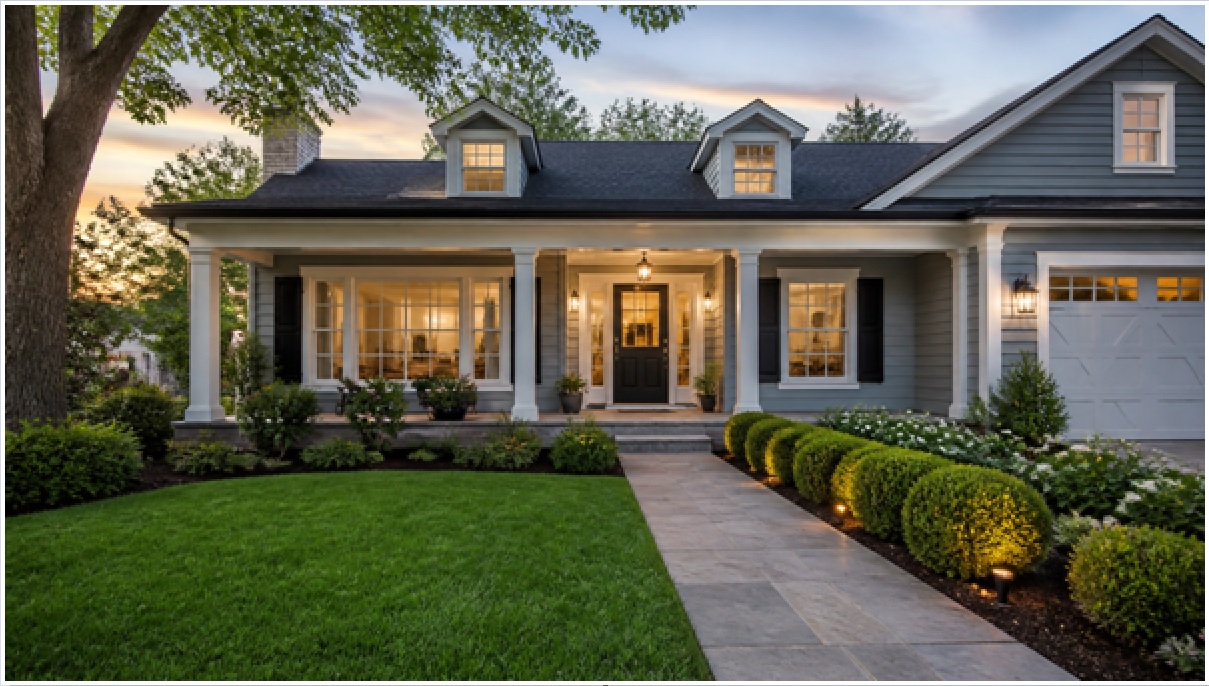
Boost Your Home’s Curb Appeal: AI Exterior Design Ideas That Work
Curb appeal is the value your home projects before anyone steps inside, and it moves real money. The National Association of Realtors reports that strong curb appeal projects like landscaping and a new front door consistently recover a large share of their cost at resale, and appraisers routinely fold exterior condition into their number. The catch: most homeowners freeze because they cannot picture the result before spending on paint, cladding, or a landscaper. That is exactly where a photo-based preview changes the math.
What actually drives curb appeal?
Five elements do most of the work: the facade color, the front door, cladding and trim condition, exterior lighting, and the front-yard landscaping. Get these right and the house reads as cared-for and modern; get them wrong and even a structurally sound home looks tired from the street.
- Facade paint or color: the single largest visible surface, so it sets the whole mood.
- Front door: a small area with outsized impact — a saturated door color is the cheapest high-ROI change most homes can make.
- Cladding and trim: clean fiber-cement, siding, or freshly painted trim signals maintenance to buyers and appraisers.
- Lighting: warm entry sconces and path lights extend appeal into evening showings.
- Front landscaping: defined beds, fresh mulch, and symmetry frame the entry.
Before committing to any of them, you can now preview the whole look. Upload a photo of your house to an AI exterior design tool like GenRoom and it returns a photorealistic redesign in about 30 seconds, so you test paint, doors, cladding, and landscaping on your real home instead of guessing from a fan deck.
How does AI exterior design preview changes before you spend?
You take one clear photo of your home’s front, upload it, pick a style or describe the change, and the AI renders a realistic version of your actual house — same rooflines, same windows — with the new colors and features applied. This turns an abstract decision (“will sage green work?”) into a side-by-side you can react to in seconds.
GenRoom handles facades, exteriors, and yards alongside interiors and virtual staging. Practical specs worth knowing:
- Photo-to-render in roughly 30 seconds, so you can iterate through a dozen ideas in a single sitting.
- 50+ styles plus an AI Editor for targeted tweaks (change only the door, only the shutters).
- A Pro Model, up to 4K output, and up to 5 photos per project for multiple angles.
- Pricing is accessible: Start $6.99, Basic $19.99, Pro $29.99, with free starter credits to test it first.
One honest limit: AI previews are for look and finish decisions, not structural work. It will show you a new porch color beautifully, but it will not engineer the porch — leave load-bearing changes, roofing, and permits to licensed pros.
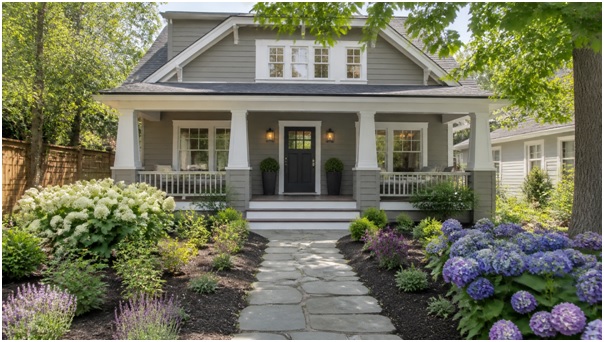
Test cladding, door color, and front-yard beds on a render before a dollar of material is ordered.
Which curb appeal ideas give the best return?
The highest-return moves are low-material, high-visibility: a repainted or restained front door, refreshed facade color, clean trim, layered lighting, and framed landscaping beds. Below are seven ideas you can preview first, then execute in priority order.
- Repaint the front door in a confident color. Deep navy, black, or forest green reads as intentional. Under $50 in paint, minutes to preview a dozen shades.
- Refresh the facade color. Test warm whites, greiges, and moody darks against your roof and stonework before buying gallons — the AI shows how each pairs with fixed materials you can’t change.
- Update or clean the cladding. Preview fiber-cement or new siding to see whether a full re-clad or a simple pressure-wash-and-paint gets you there.
- Add layered exterior lighting. Entry sconces, path lights, and a soft uplight on a feature tree make the home photograph well after dark.
- Define the front beds. Symmetry, fresh mulch, and a few structural shrubs frame the door — a weekend project with strong perceived value.
- Upgrade the hardware and house numbers. Matte-black handlesets, a modern mailbox, and oversized numbers modernize an entry for under $200.
- Swap or paint shutters and garage door. The garage is often the largest facade element after the walls — its color and style shift the whole read.
As one staging designer puts it: “Buyers decide in the first eight seconds from the curb. You are not selling the house yet — you are selling the walk to the door.”
How should sellers use AI exterior design before listing?
Sellers should render two or three realistic “after” options, pick the cheapest version that reads as updated, and hand the render to their painter or landscaper as a visual brief. This removes guesswork for the crew and keeps spend focused on changes that photograph well in the listing.
A practical pre-listing workflow:
- Shoot straight-on in flat daylight, one clear photo of the full front (add angles up to five photos for detail shots).
- Generate 3–5 variations — conservative, mid, and bold — and compare against comparable homes that sold fast in your area.
- Cost the winner before you commit, so budget goes to the door, paint, and beds rather than everything at once.
- Use the render as a contractor brief to cut back-and-forth and get accurate quotes.
Because a render costs cents rather than a weekend of demo, you can kill bad ideas early — the visual equivalent of measuring twice and cutting once.
What are common curb appeal mistakes to avoid?
The frequent errors are over-personalizing color, mismatching new choices to fixed materials, neglecting lighting, and spending big on structure while ignoring cheap high-impact fixes. Preview first and most of these disappear.
- Trend chasing: a hyper-specific color you love may narrow your buyer pool. Test neutrals alongside it.
- Ignoring fixed elements: your roof, brick, and stone aren’t changing — render new colors against them, not on a blank swatch.
- Flat lighting: a great facade with no evening light loses half its appeal in twilight photos.
- Skipping the cheap wins: hardware, numbers, and a clean door often beat an expensive re-clad on return per dollar.
The Bottom Line
Curb appeal is the cheapest lever on your home’s perceived value, and the biggest reason people skip it is not being able to see the result. Previewing paint, doors, cladding, lighting, and landscaping on a photorealistic render of your own house — in about 30 seconds, for a few dollars — removes that risk. Test three versions, cost the winner, and spend only on the changes that make the walk to your door worth taking. Keep AI for the look, and licensed pros for anything structural, and you get the upside without the guesswork.
Frequently Asked Questions
How much does it cost to test exterior designs with AI?
GenRoom offers free starter credits, and paid plans run $6.99 (Start), $19.99 (Basic), and $29.99 (Pro). That is a fraction of the cost of a single wrong gallon-order or a landscaper redo.
How long does an AI exterior render take?
About 30 seconds per render from your uploaded photo, so you can compare a dozen directions in one sitting rather than waiting on mockups.
Will the AI change my actual house or a generic one?
Your actual house. You upload a photo and the redesign keeps your rooflines, windows, and structure while applying new colors, cladding, lighting, or landscaping.
Can AI exterior design replace an architect or contractor?
No. It is for look-and-finish decisions and visual briefs. Structural work, roofing, permits, and engineering still require licensed professionals — use the render to communicate with them.
What photo works best for accurate results?
A straight-on shot of the full front in flat, even daylight, with the whole facade in frame. Add up to five photos for angles and detail areas like the entry or garage.